

Why Your Website Needs an SSL Certificate
You built a website. That's great. But is it safe? Can people trust it? These questions matter more than you think. One small thing can make a big difference - an SSL certificate.
We all want visitors to feel safe on our sites. We want them to stay, read, and maybe even share their email or buy something. But if your site looks risky, they will leave fast. That's where SSL comes in.
This article will explain what an SSL certificate is, why it matters, and how it helps you and your visitors. No tech talk. Just simple facts anyone can understand.
What Is an SSL Certificate?
An SSL certificate is a digital tool that keeps information safe online. It protects data that moves between a visitor's browser and your website.
Imagine you send a letter with your credit card number through the mail. If it's not sealed, anyone can read it. An SSL certificate acts like a locked envelope. Only the right person can open it.
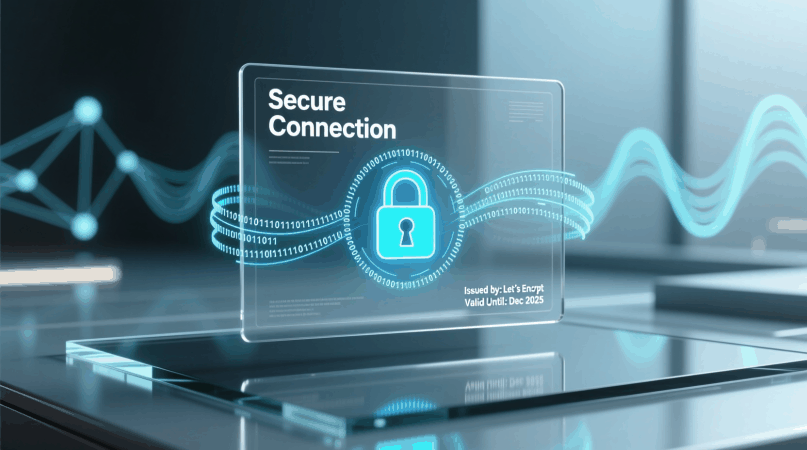
When a site has SSL, you'll see a lock icon in the address bar. The web address also starts with https:// instead of http://. That "s" stands for "secure."
Without SSL, any data sent through forms, logins, or payments can be stolen by hackers. That's dangerous for users - and bad for you.
How SSL Works
SSL works quietly in the background. You don't need to do anything special once it's set up.
Here's how it helps:
- It encrypts data - turns it into secret code.
- Only your server can decode it.
- If someone tries to steal the data, they just get nonsense.
- Your visitor's details stay private.
It's like speaking in a language only two people understand, even if others are listening.
Most hosting companies now offer free SSL certificates. Some install it automatically. So there's no good reason to skip it.
Why SSL Is Important for Every Website
You might think SSL is only for shops or banks. Not true. Every website needs it - even blogs, portfolios, or small business pages.
Here's why:
1. Keeps Visitors Safe
People share information online every day. Even a simple contact form asks for a name and email. Without SSL, that info could be caught by bad actors.
Hackers use tools to spy on unsecured connections, especially on public Wi-Fi. SSL stops them in their tracks.
When visitors see the lock icon, they know their data is protected. That builds trust.
2. Makes Your Site Look Professional
A secure site looks serious and well-made. An unsecured one looks outdated or careless.
Modern browsers like Chrome and Firefox warn users when a site is not secure. They show messages like:
- "Not Secure" in red text
- A crossed-out lock
- Alerts before letting users enter data
These warnings scare people away. They may never come back.
With SSL, your site looks clean, safe, and ready for use.
3. Helps With Google Rankings
Google wants the web to be safer. That's why it gives better rankings to websites with SSL.
Yes - having https can help your site appear higher in search results. It's one of many factors, but it counts.
If two sites are similar in quality, Google will likely pick the secure one. So SSL gives you a small but real edge.
Also, Google marks all http sites as "not secure." This hurts your image and can lower traffic.
4. Needed for Online Payments
If you sell anything online, SSL is not optional. Payment processors like PayPal, Stripe, or credit gateways require it.
They won't let you accept payments without a valid SSL certificate. It's a basic rule.
Even if you're not selling now, plan ahead. Adding SSL later takes time. Better to have it from the start.
5. Builds Trust and Confidence
Trust is hard to earn and easy to lose. A single security warning can make someone doubt your whole site.
But when people see your site is secure, they relax. They're more likely to fill out forms, sign up, or click around.
That means more leads, more readers, and better results - just from a little green lock.
Is SSL Hard to Set Up?
No. It used to be complicated. Now, it's simple.
Most web hosts include free SSL through services like Let's Encrypt. Some turn it on automatically when you create your site.
Steps to get SSL:
- Log in to your hosting account.
- Look for "SSL" or "Security" in the menu.
- Click to enable it.
- Wait a few minutes. That's it.
After that, your site switches from http to https. All pages should load securely.
Some older links might still point to http. Your host can often fix this with a redirect. Ask their support team if needed.
Do You Need to Pay for SSL?
Not usually. Free SSL certificates work well for most websites.
Big companies with complex needs might pay for advanced options. But for personal blogs, small businesses, or portfolios, free is enough.
Check what your host offers. Many include it at no extra cost.
Don't fall for upsells. You don't need expensive packages just to be secure.
Common Myths About SSL
Let's clear up some confusion.
- Myth: Only e-commerce sites need SSL. False. Any site with forms, logins, or user input needs protection. Even a newsletter signup deserves safety.
- Myth: SSL slows down my website. Not true anymore. Modern SSL has almost no effect on speed. In fact, secure sites often load faster thanks to newer tech.
- Myth: I don't collect data, so I don't need it. Wrong. Google still marks your site as unsafe. Visitors will see warnings. Plus, SEO suffers.
- Myth: Once installed, I never have to worry. SSL certificates expire. Most free ones last 90 days. Good hosts renew them automatically. Check yours from time to time.
The bottom line
An SSL certificate is not a luxury. It's a must-have.
It protects your visitors. It boosts your site's look and trust and it helps with Google search. And it's mostly free and easy to get.
We all want our websites to succeed, but success starts with safety. Without trust, people won't stay. Without security, you risk losing everything.
You don't need to be a tech expert to use SSL. You just need to care about your visitors. And that's something every website owner can do.
So check your site today. Is it using https? Do you see the lock?
If not, take five minutes and fix it. Your future self - and your visitors - will thank you. Read more about best web hosts.